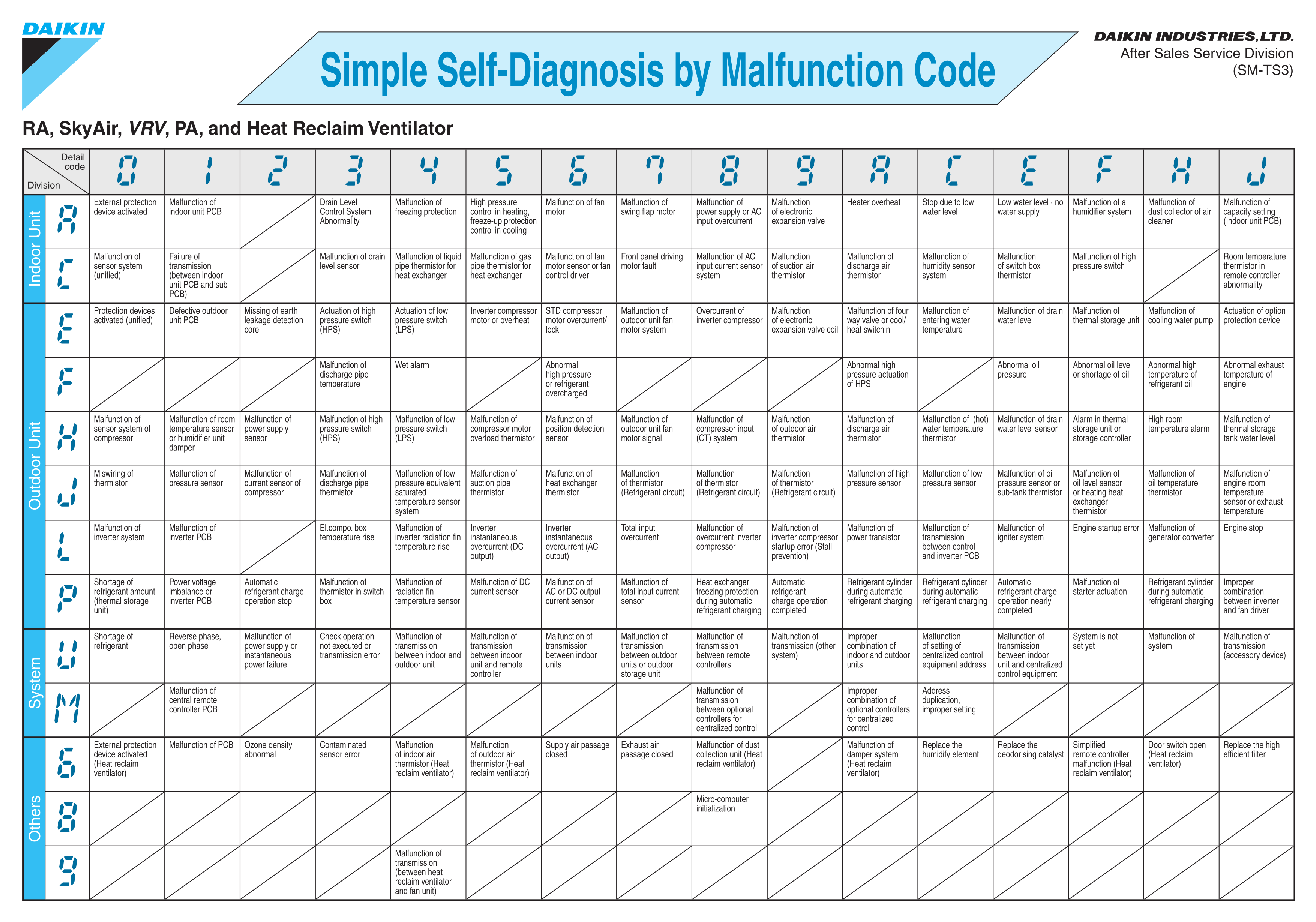
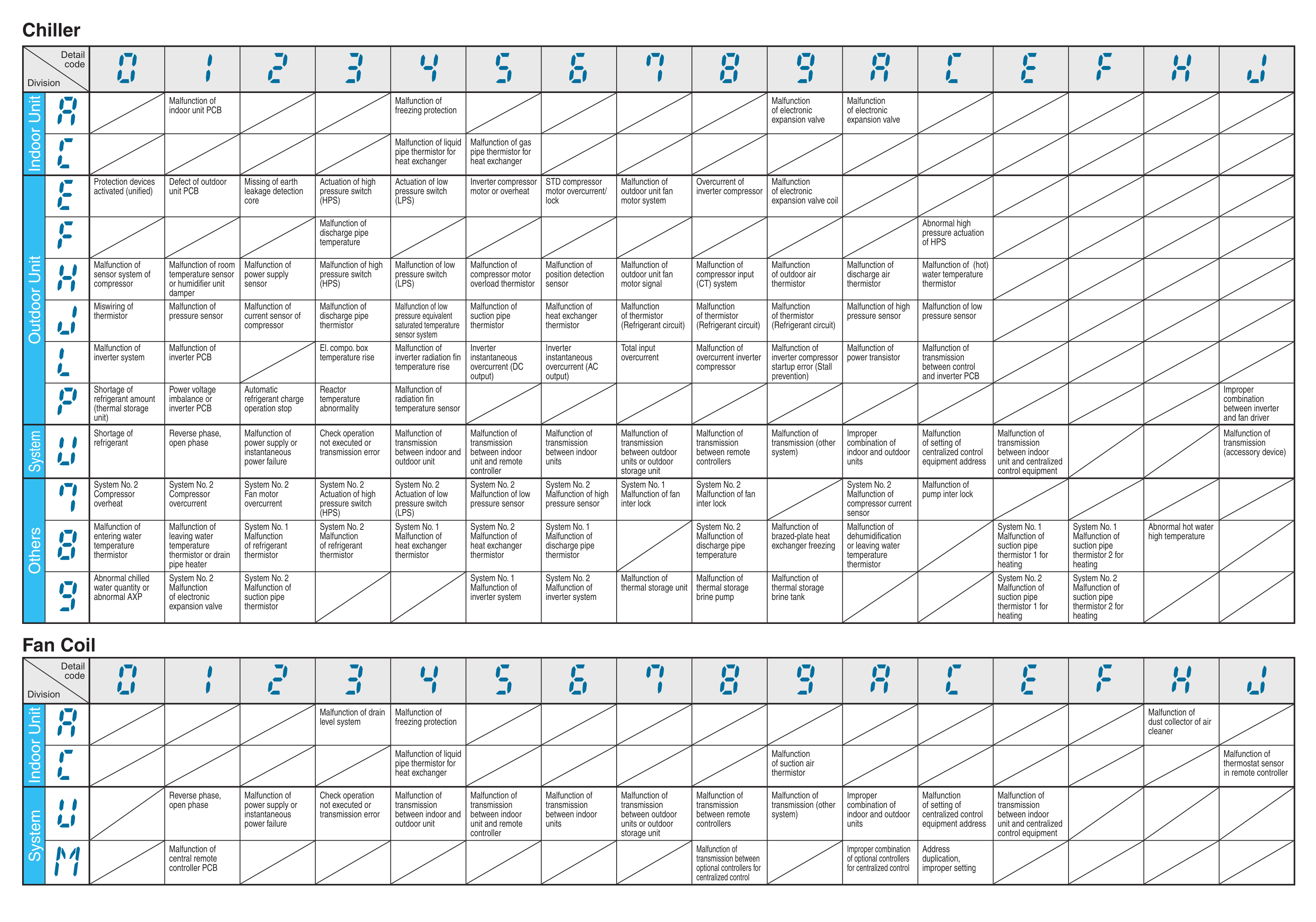
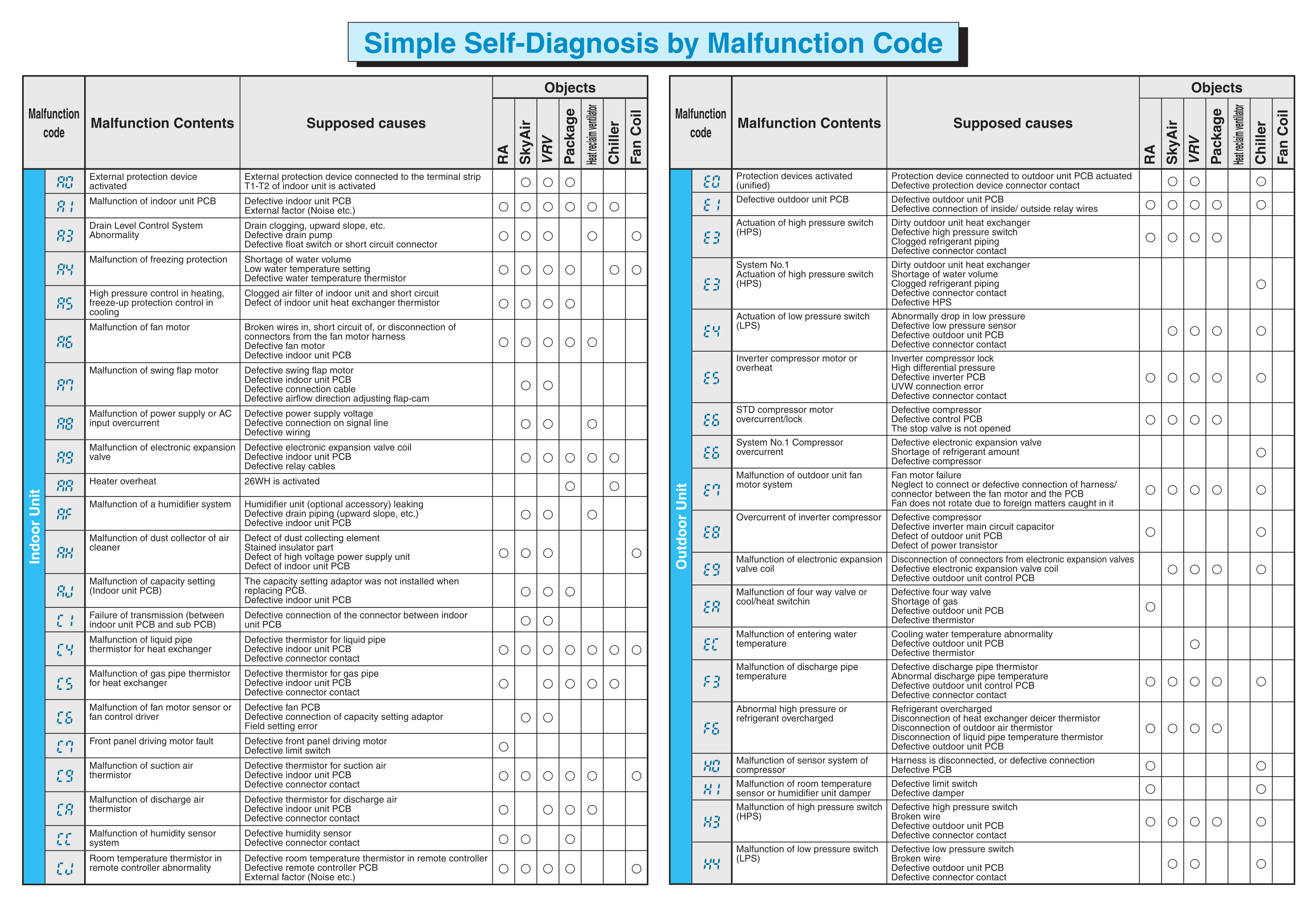
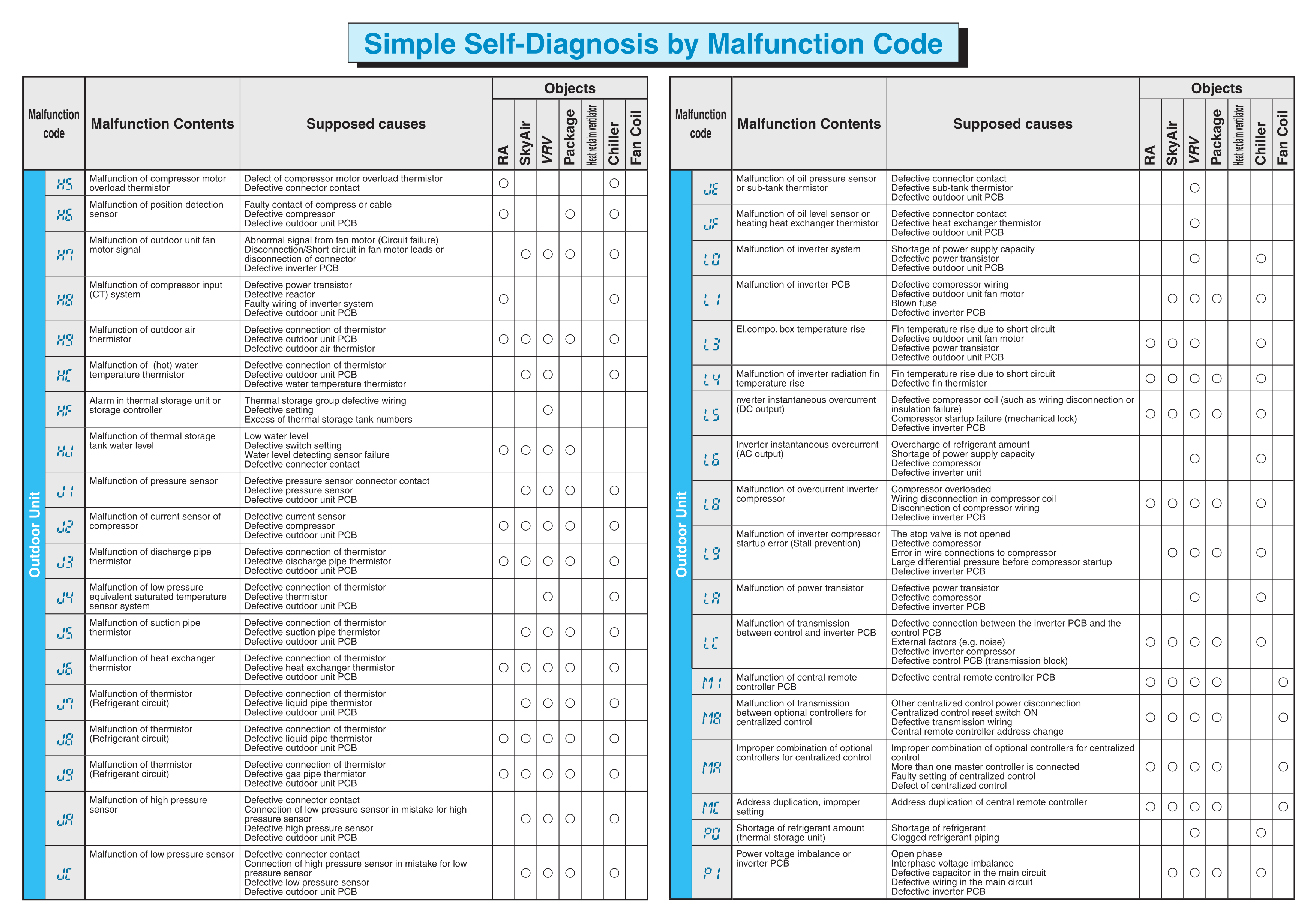
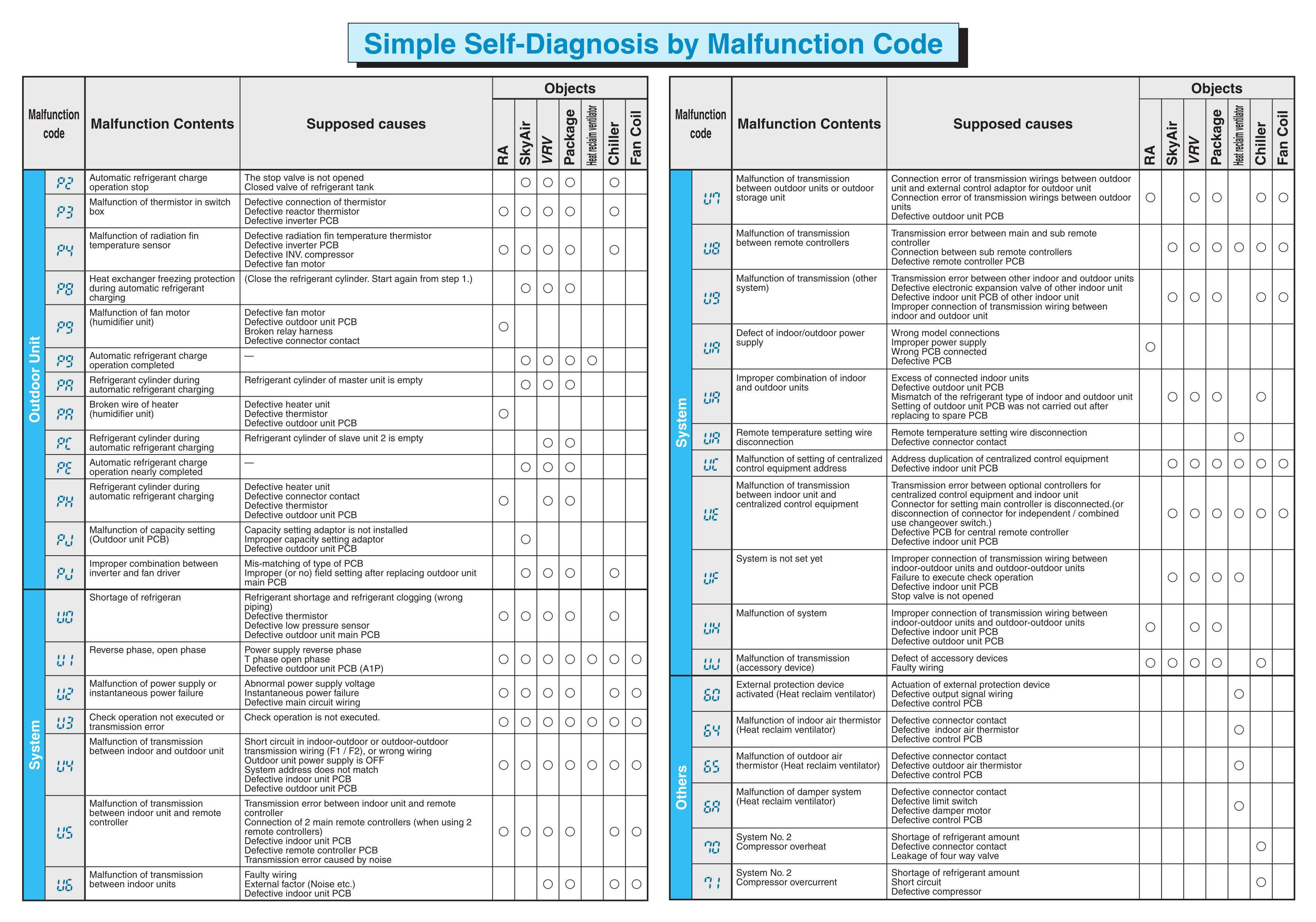
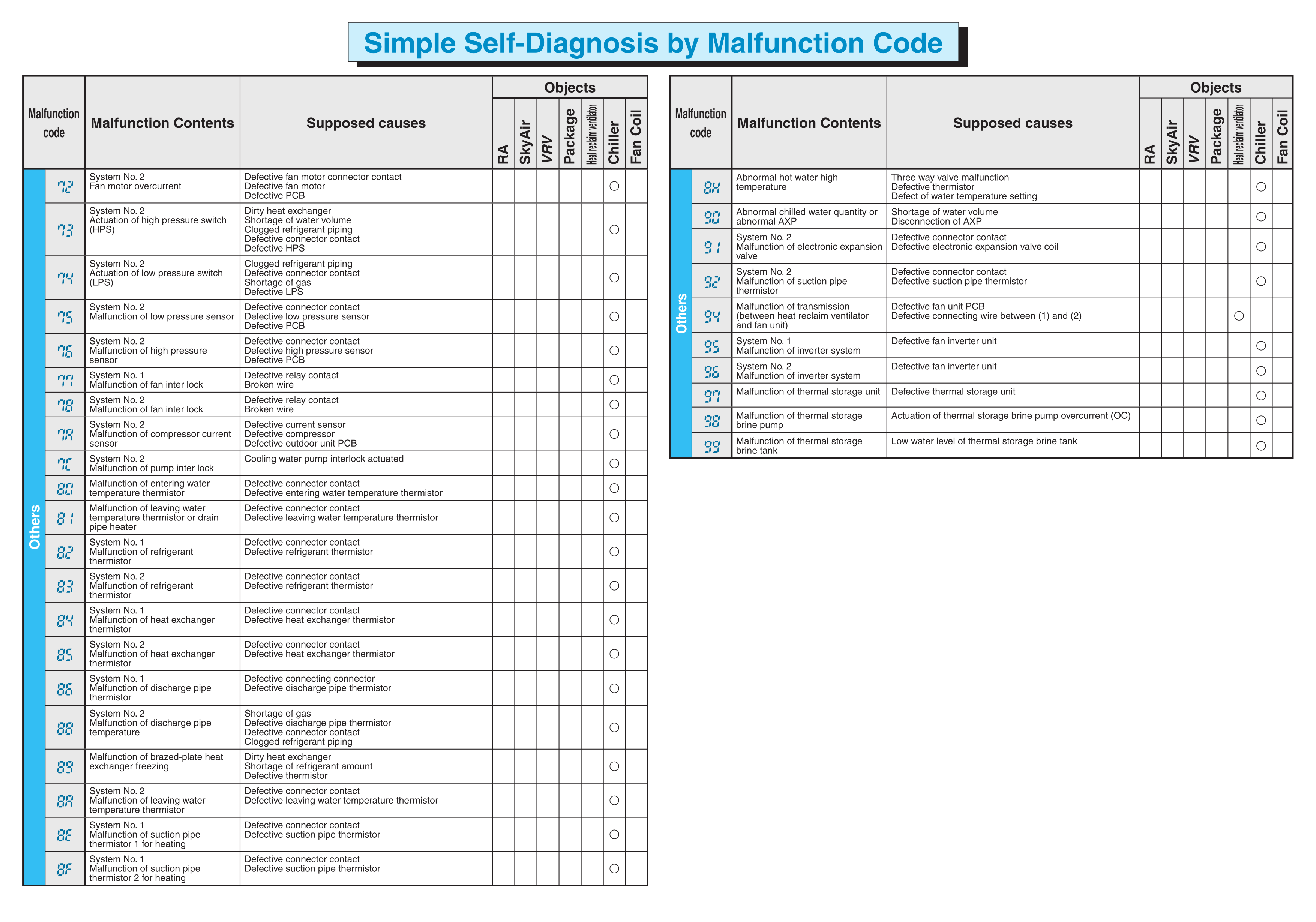
A step-by-step guide on how to check and interpret error codes.
- Look at the LED indicator on the indoor unit.
- If there is a malfunction, the LED will blink in a pattern (e.g., 3 times, pause, 2 times).
- The blinking sequence corresponds to an error code (like U4, L5, A3).
- Check your model’s manual to interpret the blinking pattern.
-
Wireless Remote (handheld):
- Turn the remote off.
- Hold the Cancel button for about 5 seconds until '00' shows on the display.
- Use the temperature up/down buttons to scroll through codes.
- When the indoor unit beeps, that is the stored error code.
-
Wired Remote (wall-mounted):
- Press the Menu or Check button (depends on model).
- Navigate to Error Code or Malfunction History.
- The error code (e.g., E7, H0) will be shown on screen.
- Technicians can use the Daikin Service Checker tool to connect to the system and read error codes.
- Some newer units support Daikin mobile apps (Daikin Comfort Control, Daikin One+) that may display fault codes.
- Outdoor units may have a 7-segment LED display on the PCB inside the unit.
- The code will be displayed directly (e.g., U4 = communication error).
- Requires opening the unit panel (usually for technicians).
Tip:
Once you find the error code, look it up in the service manual or Daikin’s error code list for troubleshooting steps.